Design system & Components
Designing MosaiQ's building blocks
Website
Web App
Tabs
01
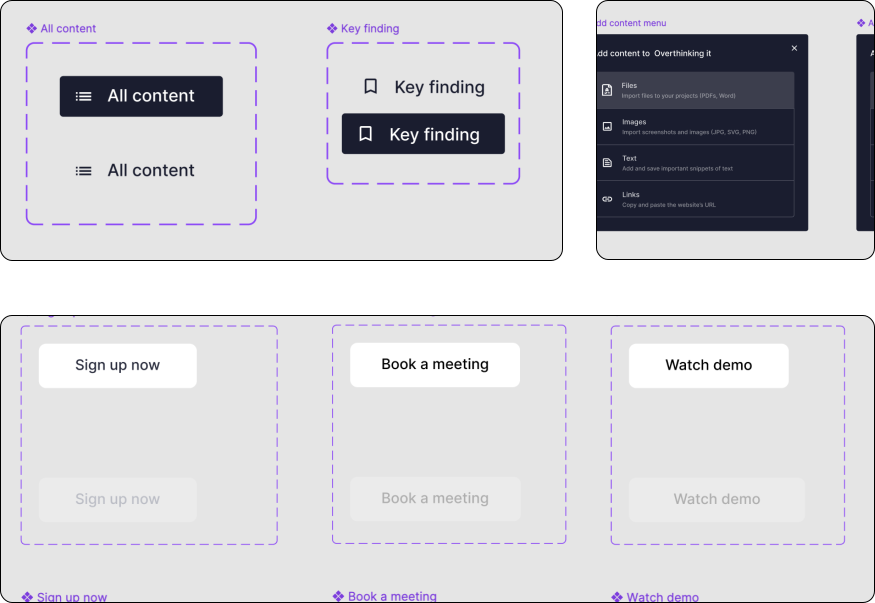
At this stage of Mosaiq Lab, we wanted to design a place where users could see All content VS the Key Findings, the most relevant information extrapolated from each article. The latter, were a mix of: automated AI insights (summary, Key points, quotes, numbers, etc..), manually collected insights, images, or manually highlighted snippets of text.
*Key finding is now named Saved Insights.
**Most of the Key findings tabs have been removed as they can now be uploaded into the database as a specific type file (i.e. Images, Assistant Insights, and manual insights which are translated into file text). What remained are Summary and Key Points.
Icons & AI Insights
02
A series of contextual icon actions are attached to each file, providing users with flexible interaction options — from triggering AI-generated summaries to duplicating articles across projects.
ICONS EXPLAINED:
-
To open the automatically generated AI insights
-
To leave a comment or note
-
To open the link in Viewer
-
For further actions, like copying the article to a different project, archive, rename, or delete.
*All icons had their own tooltip which appeared when hovering on the icon with the mouse
I° ITERATION:
-
The light bulb symbolised the AI insights before the stars became the official AI reference
-
This icon seemed to symbolise more strongly to open the file in browser as opposed to in Viewer
II° ITERATION:
-
The light bulb has been replaced with a more AI friendly icon, the stars**
-
The comment function has temporarily been removed
-
The title becomes the link to open the article in browser
-
The menu doesn’t change
* * When clicking on the AI insights icon, the user is taken to another page showing all the available AI insights.
III° & CURRENT ITERATION:
What changed -
-
Eventually, the actions have been removed leaving only the dotted menu
-
The AI insights is now accessed by clicking on the article’s title. Here all the automatically generated insights are listed in alphabetical order
-
Alternatively, it is possible to view the file in browser and collect manual insights from the original article
Cards
03
NOTES ON CARDS
Initially, cards came in three formats:
-
Comfort x2
-
Default x2
-
Compact x2
UPDATED KEY POINTS CARDS
Problem: Each key point is assigned to a card, even though they come from the same source.
-
It creates a longer than necessary list
-
It presents scattered information creating confusion
-
It makes it hard to follow
OLD CARDS UI
Solution: Grouping together key point generated from the same article.
-
It shorten the list (lessen the heavy load)
-
It helps creating context
-
It’s easy to follow and to digest
UPDATED CARDS UI